
The problem
Adding one event to a calendar app takes a dozen taps: pick a date, scroll a time wheel, scroll another one for the end, hunt for the repeat menu, find the alert menu, choose a calendar, save. By the time you've done it you've forgotten what else you were doing. Chrona replaces all of it with a sentence. Type “Standup every weekday at 9:30am alert 15 min before” and watch it become a real repeating event, with its alert, before you finish reading this line.
What it does
Dates, times, ranges, durations, repeats, alerts, locations and which calendar to save to — all typed in plain English, all parsed as you type, with a live preview so you can see what you're about to create.
A full task system — projects, tags, priorities, an inbox for anything undated — sharing the same screen as your events, so your to-do list and your day are the same picture instead of two apps arguing.
Chrona reads and writes the calendars already on your device — iCloud, Google, Exchange, whatever you've added. It isn't a new silo; invitations, shared calendars and alerts keep working exactly as they did.
Flip between Work and Personal in one tap instead of toggling a checklist of twelve calendars every time your context changes.
Nine views, including a scrollable day stream and a time-blocked timeline that shows tasks and events fused into a single column.
Your events stay in your calendars and your tasks sync over your own iCloud account. There is no Chrona account, and there is no Chrona server holding your schedule.
A look inside
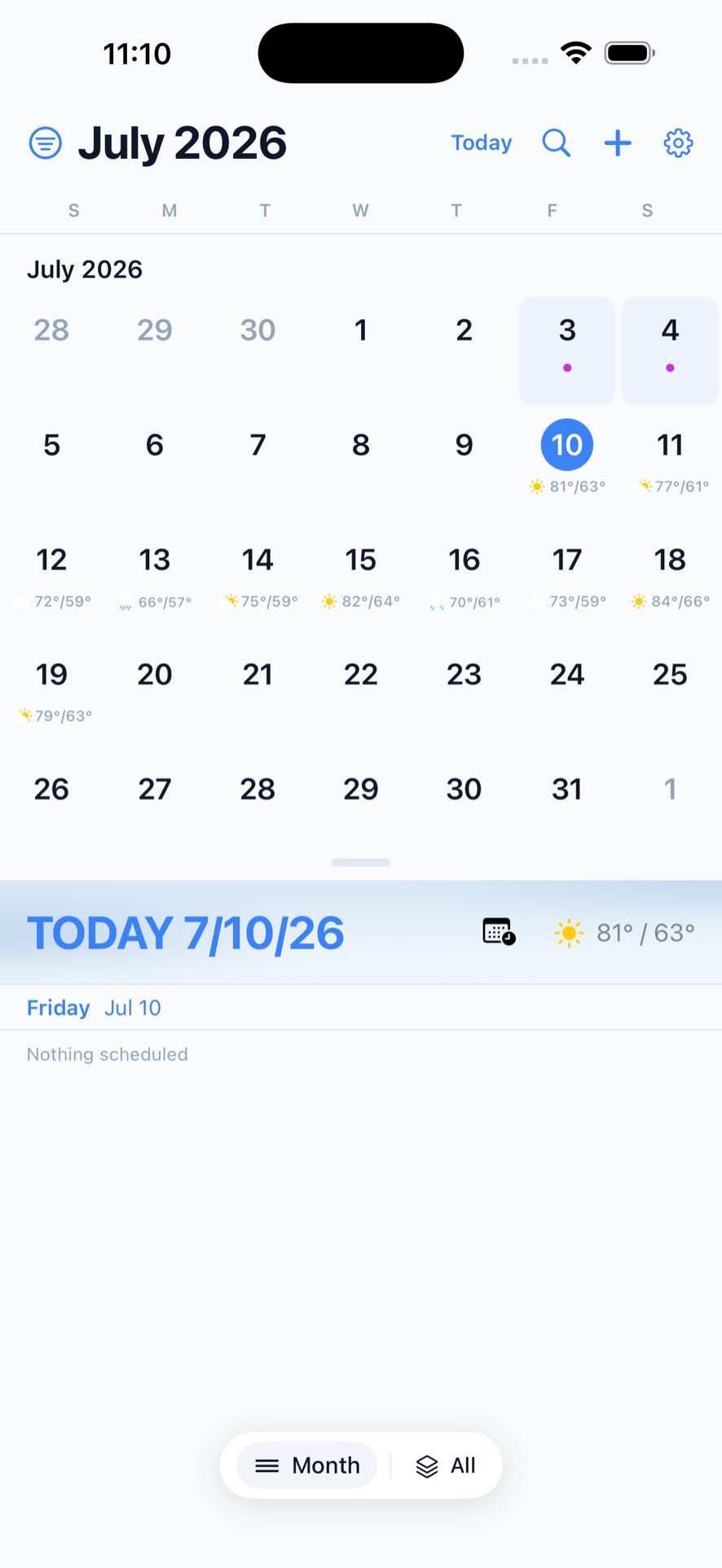
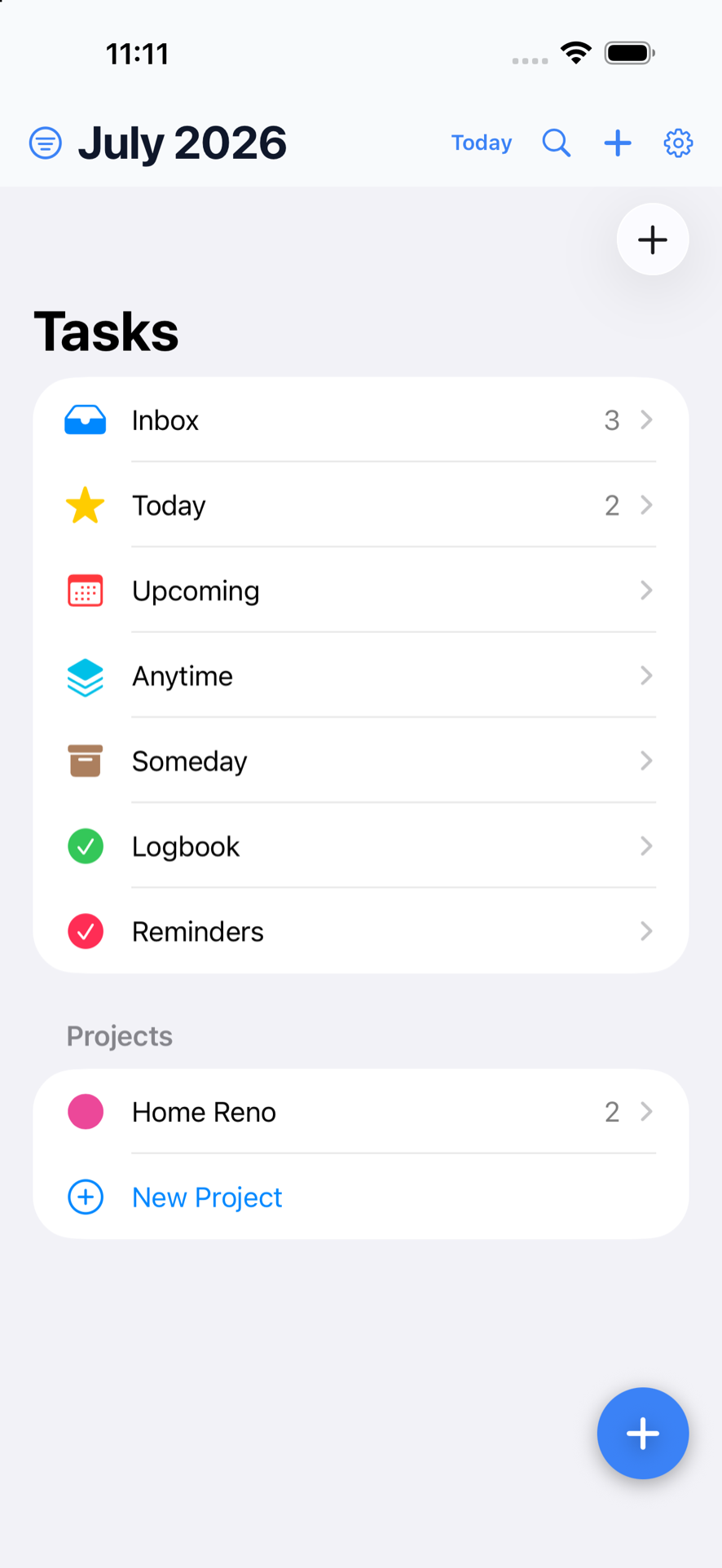
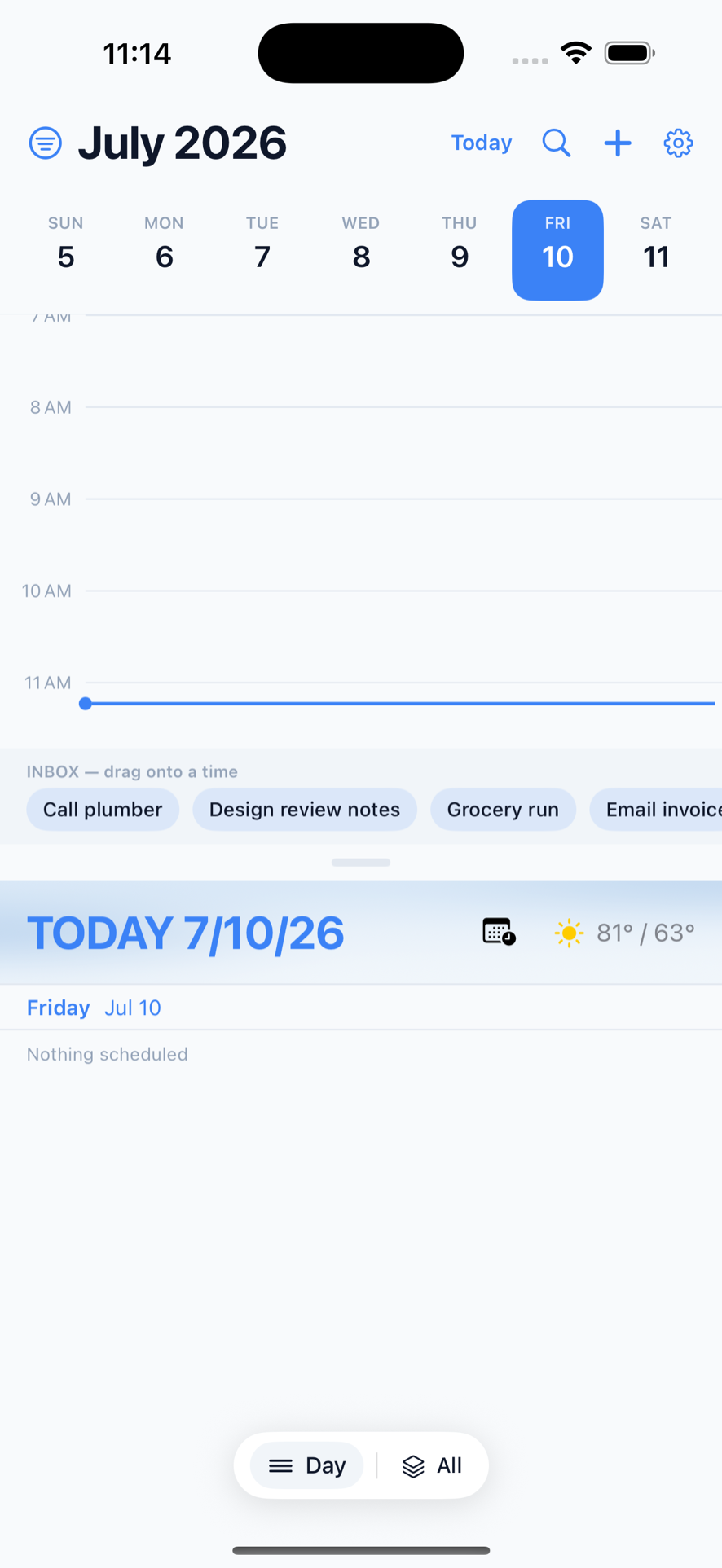
Learn the shorthand
Everything Chrona understands is written down, with a plain-English description of what each phrase produces. It takes about five minutes to read and it's the whole app.
Who it's for
People who live out of a calendar and type faster than they tap — and who want their tasks in the same place as their meetings instead of in a second app they forget to open.
Made by Everlight Digital — intentional tools for what matters most.
Get it on the App Store Read the syntax reference Everlight Digital